UI Frameworks: A Nice Shortcut
27 Feb 2026UI frameworks seem to be HTML and CSS’ version of libraries that are found in other coding languages. Granted, I only have experience with Bootstrap 5, but with Bootstrap 5, it seemed to just be additional classes that could be used to style and create different useful things without me having to figure out how to code them in with HTML and CSS. It was a large amount of information and syntax to take in, but that is basically how it goes with most libraries. Just like with libraries, these UI frameworks are not technically necessary as you could probably do it yourself somehow, but it does make your life a whole lot easier if you use them. Like the old saying goes, “don’t reinvent the wheel.”
Using Bootstrap 5
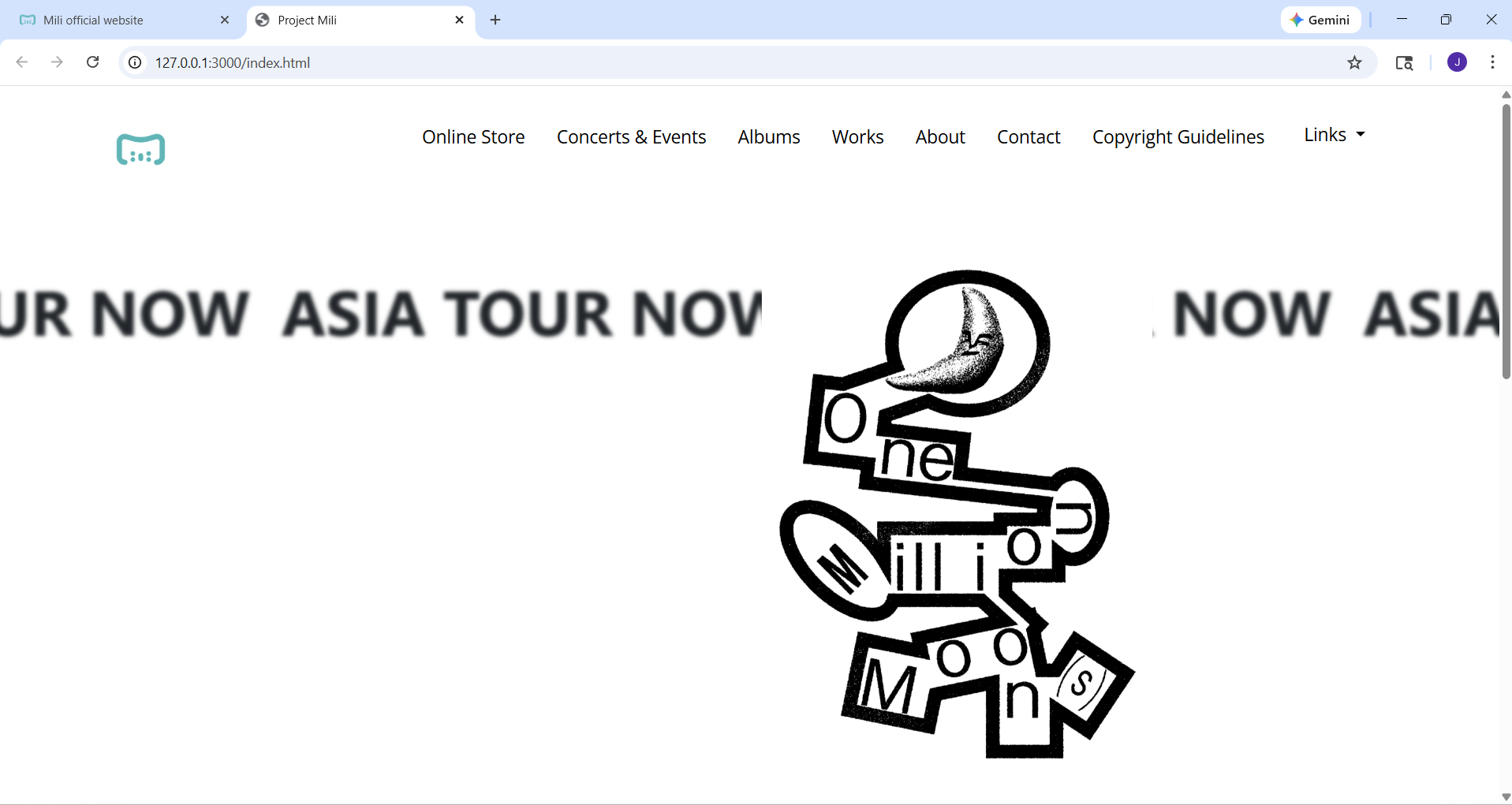


Using Bootstrap 5 was a bit confusing since I had to look up a lot of things and try to figure out what exactly each class did in order to use them properly. However, using Bootstrap 5 certainly helped me out a lot and made things much easier for me. Pictured above is a website that I recreated using Bootstrap 5. There were a lot of moving parts to the webpage, both literally and figuratively. Figuring out how to do all of it and format it properly would have been a real pain, and it was, but Bootstrap helped simplify the process a bit with its prebuilt format options, so I could focus on the real difficult stuff, which was the aforementioned moving parts. Bootstrap 5 has very helpful prebuilt navigation bars, footers, and all sort of containers to help contain all the elements of a site so that it is properly spaced and margined out. I didn’t have to figure out how to make my dropdown menu because Bootstarp has that prebuilt. That navigation bar on top was mostly made with Bootstrap 5 while I just made minor specific style arrangements. Bootstrap also contains a helpful library of icons that I could just use instead of endlessly searching for the appropriate png I needed, with common symbols like magnifying glasses and envelopes for searching and emails, to common brands like the most popular social media websites of youtube, twitter, instagram, facebook, and so on and so forth. That made the footer so much easier. While Bootstap took care of stuff like that I could focus on the complicated things like the looping “ASIA TOUR NOW” text, which was suprisingly difficult, and the video background alongside the overlaying buttons. Bootstrap 5 also made placing the offcenter key visual for the aforementioned tour much easier, than messing with different positioning values.
Conclusion
What can be done with UI frameworks can be done with regular HTML and CSS for sure, but it can also save you a lot of time with its prebuilt classes. It may seem like a lot of effort to learn a UI framework, but in exchange you don’t have to build everything yourself, you can rely on some prebuilt options while you just make minor adjustments and focus on more difficult tasks. UI frameworks become another tool you can use so you don’t have to work as hard.